
Manage your subscription
Subscriptions are handled securely through Stripe, or Razorpay in India. Your card details go straight to the payment provider — NevTan Mail never sees or stores your card number.
Checkout
Pick your plan
In the Buy a Plan tab, choose a package and how many mailboxes — see Plans & pricing.
Authorize and subscribe
Tick the authorization box and choose Subscribe.
Pay securely
A secure checkout opens in the app — Stripe, or Razorpay in India. Enter your payment details and confirm. NevTan Mail confirms the subscription when payment completes.
Stripe accepts major credit and debit cards (Visa, Mastercard, American Express, Discover); in India, Razorpay takes payment in rupees.
Change or cancel
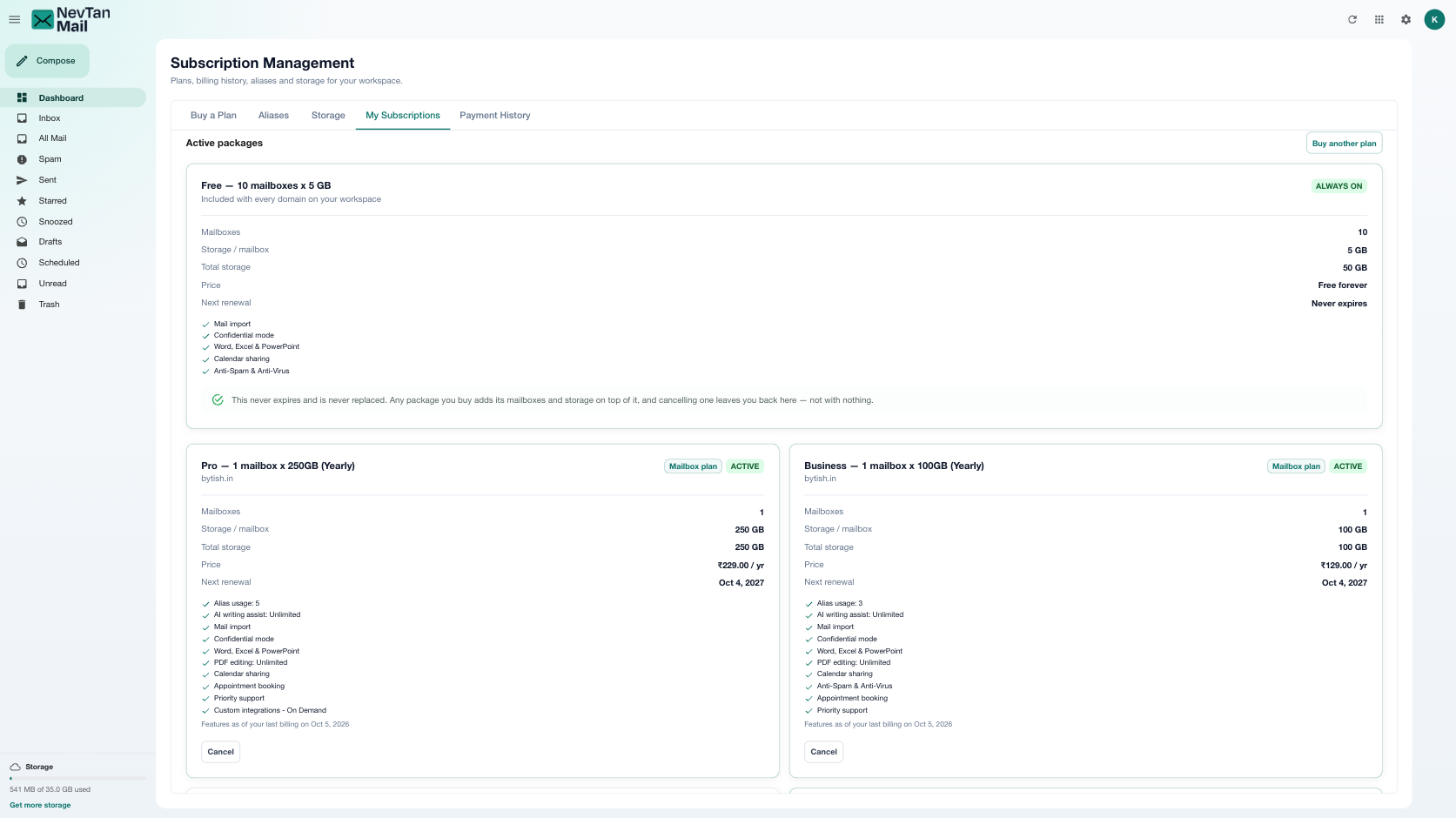
My Subscriptions lists every plan on the domain, each with the mailboxes and storage it is billed for. From here you can change a plan, cancel one, or discard a checkout that never finished.
- Need more capacity — buy an additional plan from Buy a Plan. Plans run alongside each other and their mailboxes, storage and features add up.
- Need less — cancel one plan; the rest, and your free allowance, stay exactly as they are.
- Cancelling — your service stays active through the end of the period you've already paid for.
Payment history
The Payment History tab lists your past charges so you can review them and download receipts.
A charge looks wrong?
If you think you were charged in error, contact info@nevtan.com with the details and we'll look into it.
Still need a hand?
Our support team usually replies within one business day.
Email us at info@nevtan.com