
Add & verify a domain
Before your team can use email on your domain, you add the domain and publish a set of DNS records at your domain provider. These records let NevTan Mail send and receive mail for you and prove your mail is legitimate.
Add a domain
Open domain setup
Go to Admin → Domain.
Add your domain
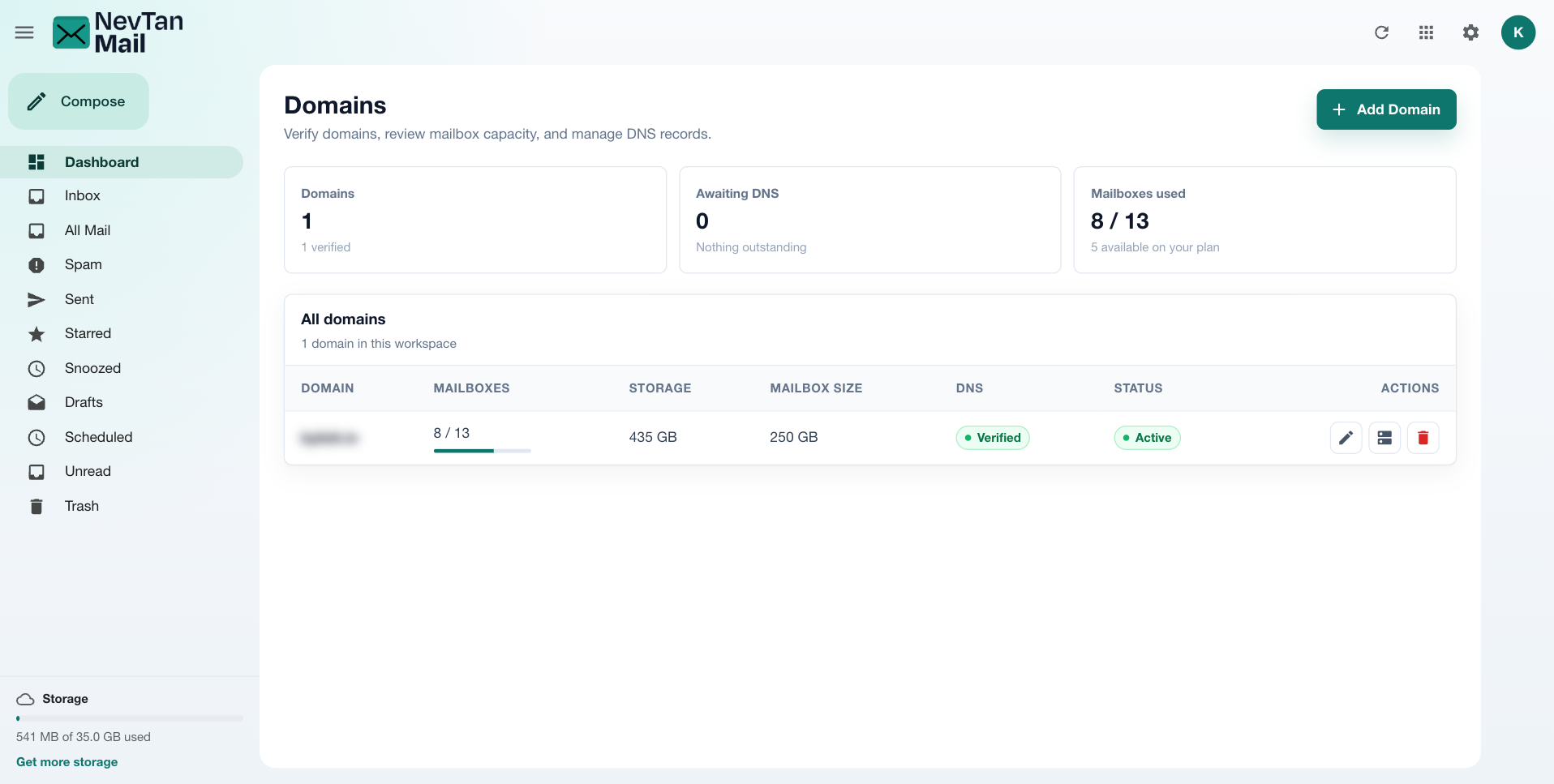
Choose Add Domain, enter your domain (for example yourcompany.com), and save.
Publish DNS records
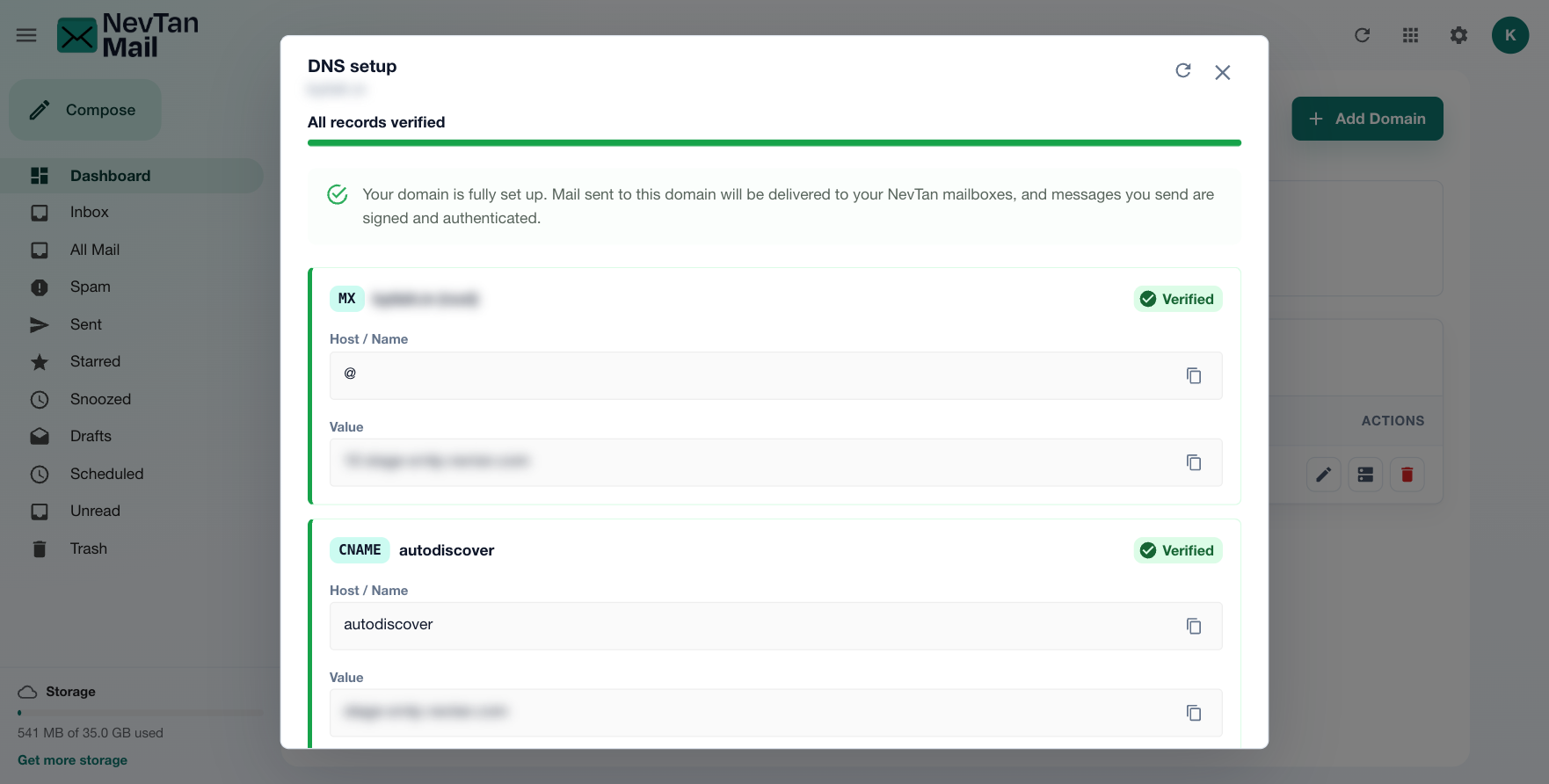
Select DNS next to your domain to see the records to add. NevTan Mail generates the exact values for your domain, so copy them from this screen rather than from anywhere else. Each record has its own card showing:
| Field | Meaning |
|---|---|
| Type | The record type: MX, TXT, or CNAME (covering delivery and authentication like SPF, DKIM, and DMARC). |
| Host / Name | The host or record name to create at your DNS provider, with a Copy button. |
| Value | The exact value to paste in, with a Copy button. |
| Verified / Not found yet | Whether NevTan Mail can already see the record published correctly. |
Add each record in your DNS provider's control panel (for example Cloudflare, GoDaddy, or Route 53), matching the name, type, and value shown.
The set covers both receiving mail (MX) and proving your mail is genuine (SPF, DKIM, and DMARC). For what each one does, how to publish it, and how to fix mail that's being rejected, see DNS records & email authentication.
Verification
DNS changes take time to propagate. NevTan Mail re-checks your records and updates each row's state as they're detected; the domain's status moves from Pending to Verified once the required records are in place.
Allow time to propagate
DNS updates can take up to 24 hours (occasionally longer) to take effect. If a record still shows as pending, double-check the name and value at your provider and check again later.
Finish authentication before you send real mail
Adding a domain and creating mailboxes is not enough on its own. Until your SPF and DKIM records are published and showing as correct, Gmail, Outlook, and Yahoo can reject your outgoing mail as unauthenticated — even though NevTan Mail sent it successfully. See DNS records & email authentication for what each record does and how to confirm it's working.
Managing domains
The domain table shows each domain's mailbox usage, storage, size, status, and whether it's active, with actions to edit its settings, view DNS records, or delete it.
Still need a hand?
Our support team usually replies within one business day.
Email us at info@nevtan.com